Find us on Google+

Tuesday, August 7, 2012

Sony RX100 ISO Test Sample Photos RAW vs JPEG vs Multi Frame Noise Reduction

After the previous iso test I did with the Sony RX100 RAW files

http://thaiphotos.blogspot.com/2012/08/sony-rx100-iso-test-sample-photos.html

A question I, and am sure many others have is "what about comparing the iso performance of RAW files to JPEG files, or the JPEG files using the multi frame noise reduction mode?". So let's see shall we?
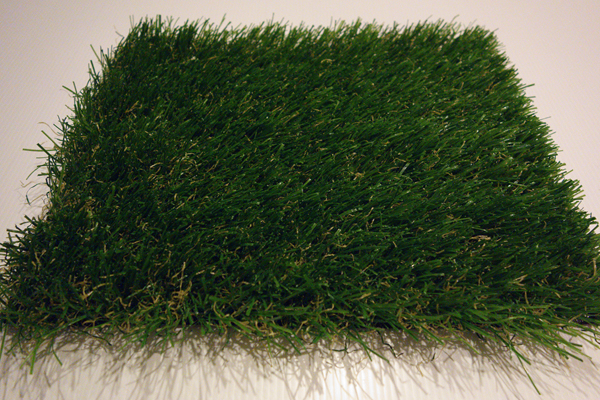

a familiar patch of grass


I will be using the same setup as the previous test.


ISO 3200


Sony RX100 RAW ISO 3200 100% crop


Sony RX100 JPEG ISO 3200 100% crop


Sony RX100 MFNR ISO 3200 100% crop


ISO 6400


Sony RX100 RAW ISO 6400 100% crop


Sony RX100 JPEG ISO 6400 100% crop

Sony RX100 MFNR ISO 6400 100% crop


ISO 12800


Sony RX100 MFNR ISO 12800 100% crop


ISO 25600


Sony RX100 MFNR ISO 25600 100% crop


Verdict


At iso 3200 there is not much difference between the normal JPEG and the MFNR file, so there is pretty much no reason to use MFNR at this iso. Your choice is probably between using the JPEG for convenience or the RAW for flexibility. With the RAW file you can achieve files as smooth as the JPEG easily by applying some noise reduction in post processing, but you also have the choice to retain more detail if you want, so the noise/detail tradeoff is in your hand.

At iso 6400 the difference between the JPEG and MFNR file is not massive, but certainly noticeable. They are both equally smooth but the MFNR file is able to retain more detail. The RAW file is almost able to match the MFNR file with post processing in terms of smoothness and detail, but again has far superior flexibility in terms of how much detail you want to sacrifice for smoothness. So at iso 6400 you have a choice between using the JPEG for maximum convenience, using RAW for maximum flexibility and quality, or in cases where there are no significant movements in the frame using MFNR for convenience and superior quality to the normal JPEG.

Of course if you ever need to use iso 12800 or 25600, you don't really have any choice but to use the multi frame noise reduction. But I must say that you shouldn't expect great quality photos at these two settings, as you can probably see yourself in the above samples. They will only look reasonable at small viewing sizes, maybe no more than 600x400 pixels. But I guess it's better to have the option available if you want than not at all.  


Saturday, August 4, 2012

Sony RX100 ISO Test Sample Photos

When looking at the RX100, having the the aperture capability of f1.8 at 28mm, with it's small size meaning that you can always have it with you just in case and when the time comes not putting people off as much as sticking a dslr or a mirror-less in their faces, the words "Night Street Photography" just popped right in my head. The next thing that popped into my head was "how good is it's high iso performance?"...let's find out :)

Since Adobe Camera Raw does not yet support the RX100 RAW files, I used sony data image converter ver 4.1 just to open the files and saving the photos as is, turning off any noise reduction.

And since there is pretty much zero noise at iso 400 and below, I will only show photo samples from iso 800 upwards to iso 6400.

Test 1


the grass is always greener on the other side of the lens
Sony RX100 ISO 800 100% Crop

Sony RX100 ISO 1600 100% Crop

Sony RX100 ISO 3200 100% Crop

Sony RX100 ISO 6400 100% Crop

Test 2


let's try some wildlife photography, another place where high iso is sometimes needed
Sony RX100 ISO 800 100% Crop
Sony RX100 ISO 1600 100% Crop
Sony RX100 ISO 3200 100% Crop
Sony RX100 ISO 6400 100% Crop


Verdict


Wow, I am impressed, the results are much better than I was expecting both in terms of the noise performance and the quality of the files. In fact the noise performance is...dare I say it...just as good as the a900!!! Some of you might be saying "is it really that good, there still seems to be a lot of noise", but you have got to keep in mind that these files are with ZERO noise reduction, and the level of detail relative to noise is really good. With these image files you could just apply some noise reduction to get really low noise photos at pretty high iso, as can be seen below


Sony RX100 ISO 3200 100% Crop with some noise reduction
Above is a photo at iso 3200 at 100% crop with some simple noise reduction applied in Adobe Camera Raw (don't use the one in Sony data image converter, it's horrible), that took about 5 seconds. You have also got to keep in mind that the files are 20 Megapixels, so the 100% crops are zoomed in much more than other cameras in the same class, if you were to look at the photos normally they will have even less noise.

Having seen these test results I can't wait to try the RX100 out in the field.

Program To Open Sony RX100 RAW files

Currently Adobe Camera RAW does not yet support the Sony RX100 RAW files, so you will need another program to open and process the files. If you do not yet have one I recommend the Sony Data Image Converter ver 4.1, which is quite a small program and can be downloaded for free here


I personally just use it to open the RAW files and re-save it as TIFF files so that I can open them in Adobe Camera Raw. 

CAUTION: When opening the files in the Sony Data Image Converter, I highly recommend that you go to the Noise Reduction option and turn it OFF. The noise reduction algorithm in the program is pretty bad and will leave the images looking like water color paintings. Initially I was really disappointed with the quality of the RX100 images, but then when I turned off the noise reduction...Wow...the differences was night and day. If you want to apply noise reduction I suggest you do it in Adobe Camera Raw, you will get much much better results.